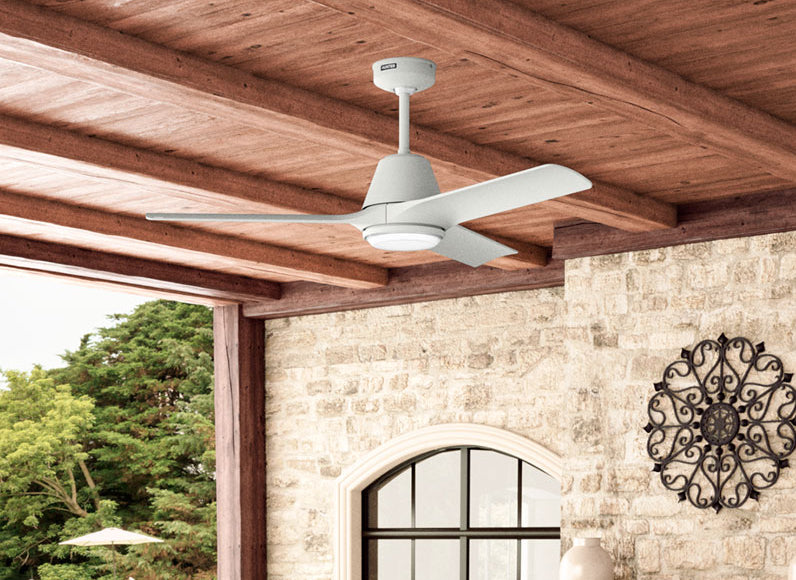
HunterSMART™ Tips & Tricks: Get More From Your Smart Home Devices
Getting your smart home connected is just the beginning. The real benefit comes from discovering the little features that make everyday life more convenient.
Maybe it's having the living room lamp turn on before you get home. Or finding just the right brightness for winding down at night. With HunterSMART™, small adjustments can make a big difference in how your home works for you.
Whether you're using the HunterSMART™ Smart Plug, Dimmer Switch, or Wall Panel, we've gathered some of our favorite smart home tips, helpful shortcuts, and features worth exploring.
Smart Plug Tips: Small Device, More Possibilities
The HunterSMART™ Smart Plug is one of the simplest ways to bring smart control into your home. It works with compatible corded devices you already own, giving everyday essentials a few new tricks.
1. Put Your Lamps on Your Schedule
Here's a smart home tip you'll appreciate once you try it: schedule your lamps to turn on before you need them.
Have a favorite lamp in the living room? Set it to turn on around sunset or before you typically get home. You can also schedule connected devices to turn off at bedtime, so you're not leaving them running longer than necessary.
Using schedules through your compatible smart home platform is a simple way to make your daily routine a little more convenient while reducing unnecessary energy use.
2. Give Your Everyday Devices a Voice
The Smart Plug isn't just for lamps. It can also bring voice control to compatible fans and small appliances.
With a supported smart home assistant, you can turn connected devices on or off without reaching for a switch.
Imagine settling onto the couch and asking Alexa to turn on your favorite lamp. It's a small convenience that quickly becomes part of your routine.
3. Don't Overlook the Compact Design
One of our favorite details about the HunterSMART™ Smart Plug is its compact size.
It's designed to keep the neighboring outlet accessible, which comes in handy when you're working with a limited number of outlets behind a couch, beside a bed, or near your favorite reading chair.
Hunter tip: The Smart Plug is rated for indoor use with a maximum load of 10A/1200W. Always check that your connected device is compatible.
4. Remember Your Last Setting
Power interruptions happen, but you shouldn't have to start over every time.
The Smart Plug includes last state memory, which restores its previous on/off setting when power returns. It's one of those behind-the-scenes features you might not think about until you need it.
Dimmer Switch Tips: Better Lighting at Your Fingertips
Good lighting changes throughout the day. You might want bright light while getting ready in the morning and something softer when it's time to relax.
The HunterSMART™ Dimmer Switch gives you more control over those everyday moments without requiring you to replace your existing compatible light fixture.
1. Try the Double-Tap Shortcut
Here's a feature you might miss if you only use the app.
The HunterSMART™ Dimmer Switch has a built-in double-tap shortcut that takes your lights directly to maximum or minimum brightness.
Double-tap the upper brightness control when you need more light. Double-tap the lower control when you're ready for something softer.
It's especially useful when you're moving between activities, like cleaning up after dinner and settling in for a movie.
2. Let Your Lighting Adjust to Your Day
You probably don't need the same lighting at 7 a.m. that you want at 9 p.m.
With a compatible smart home platform, you can schedule your lights to turn on and off around your routine. Try having the lights come on before your morning alarm or switch off when it's time for bed.
You can also include compatible lighting in scene automations, making it easier to set the right brightness for different activities.
3. Find Your Favorite Brightness and Keep It
Everyone has a preferred lighting level. The HunterSMART™ Dimmer Switch helps you return to yours.
With last state memory, the Dimmer Switch remembers your previous brightness setting, so you can return to the lighting you prefer without adjusting it again.
It's a thoughtful detail that makes your lighting feel a little more personalized.
4. Make Sure Your Bulbs Are Dimmable
This is one of the most important tips for getting the best performance from your Dimmer Switch.
Not every LED bulb is designed to dim. Using compatible dimmable LED bulbs helps deliver more consistent brightness adjustments and reduces the chance of flickering.
Before installing, check your bulbs and confirm that the total connected lighting load does not exceed 200W.
Hunter tip: If your lights flicker at lower brightness levels, check bulb compatibility first. The right bulbs can make a noticeable difference in dimming performance.
Wall Panel Tips: Your Smart Home, All in One Place
The HunterSMART™ Wall Panel is designed to bring more of your connected home together. With a dedicated touchscreen, built-in Alexa, and Matter controller functionality, it gives you a convenient way to manage compatible lights, fans, and smart devices.
Here are a few ways to make the most of it.
1. Keep Your Everyday Controls in One Place
You shouldn't have to search for your phone every time you want to adjust the lights.
The Wall Panel gives you a dedicated touchscreen for accessing compatible connected devices. Whether you're turning off a ceiling fan or adjusting the lighting, you can manage your smart home from one central location.
Consider installing it somewhere you naturally pass throughout the day, like a main living area or entryway, where having those controls nearby makes sense.
2. Use Alexa When Your Hands Are Full
The Wall Panel has Alexa built in, so voice control is available right from the panel.
That means you can ask Alexa to control compatible lights and devices while you're cooking, carrying laundry, or getting everyone ready to leave the house.
It's especially convenient when reaching for your phone isn't practical.
3. Create Scenes for the Moments You Repeat
Think about the routines you go through every day.
Maybe you turn off several lights before bed. Or you like certain lights on when you're getting ready in the morning.
With scene automations, you can coordinate compatible devices around those moments instead of adjusting everything individually.
Start with a simple evening scene that adjusts your connected lighting. Once you've found what works, you can explore other ways to personalize your routine.
4. Take Advantage of the Built-In Matter Controller
Here's something worth knowing about the HunterSMART™ Wall Panel: it's more than a touchscreen.
It also functions as a Matter controller, helping you bring compatible Matter-enabled devices together without requiring a separate hub for that controller functionality.
If you're planning to expand your connected home, this gives you more flexibility to add supported devices over time.
5. Know What Happens When the Internet Goes Down
An internet outage doesn't always mean losing control of your connected devices.
The Wall Panel supports local control of compatible devices over your Wi-Fi network, even when the internet connection is unavailable.
For installations where Wi-Fi signal strength is a concern, the Wall Panel also supports an optional Ethernet connection.
Hunter tip: If you're experiencing inconsistent connectivity, check your Wi-Fi signal strength. A stronger connection can help keep your devices communicating reliably.
More Smart Home Tips Worth Trying
Once you're comfortable with your HunterSMART™ devices, a few simple habits can help you get even more from them.
Start With One Routine
You don't need to automate your entire home at once. Start with something you do every day, like turning on a lamp before sunset or adjusting your lighting before bed. Once you find what works, build from there.
Make the Most of Your Smart Home Platform
HunterSMART™ products use Matter to work with compatible smart home ecosystems, including Apple Home, Google Home, and Amazon Alexa.
Depending on your setup, you can explore schedules, voice commands, and scene automations through your preferred platform.
A compatible Matter controller may be required for certain products and configurations.
Keep Your Devices Connected
Reliable connectivity makes a difference in your smart home experience.
If a device isn't responding, start by checking its power and network connection. You can also review the pairing status in the HunterSMART™ app or consult the product's installation guide for troubleshooting instructions.
For additional help, visit Hunter Support.
HunterSMART™ Frequently Asked Questions
What can I do with a HunterSMART™ Smart Plug?
The HunterSMART™ Smart Plug adds connected on/off control to compatible corded devices, including lamps, fans, and small appliances. Through a supported smart home platform, you can use schedules, voice commands, and automations to control connected devices.
Can I control my HunterSMART™ devices with Alexa, Google Home, or Apple Home?
Yes. HunterSMART™ devices support Matter connectivity with compatible smart home platforms, including Amazon Alexa, Google Home, and Apple Home. Setup requirements vary by product and ecosystem.
How does the HunterSMART™ Dimmer Switch's double-tap feature work?
Double-tapping the upper brightness control sets compatible lighting to maximum brightness. Double-tapping the lower control sets it to minimum brightness, giving you a quick way to adjust lighting without opening an app.
What is last state memory?
Last state memory allows a device to restore a previous setting. The HunterSMART™ Smart Plug restores its previous on/off state following a power interruption, while the Dimmer Switch can return to its previous brightness setting.
Does the HunterSMART™ Wall Panel need a separate smart home hub?
The HunterSMART™ Wall Panel has built-in Matter controller functionality, so it does not require a separate hub for that function. Additional requirements may apply when connecting to specific smart home platforms or devices.
Discover More Ways to Make Your Home Smarter
The best smart home features aren't always the most complicated. Sometimes, it's a shortcut that saves a few steps, a lamp that turns on at just the right time, or having your favorite controls right where you need them.
With HunterSMART™, you can make those everyday moments a little more convenient.
Explore the HunterSMART™ collection to discover connected products designed to work around your routine.
Already have your devices but need help getting started? Visit our HunterSMART™ Installation and Pairing Guide for step-by-step instructions for your devices.