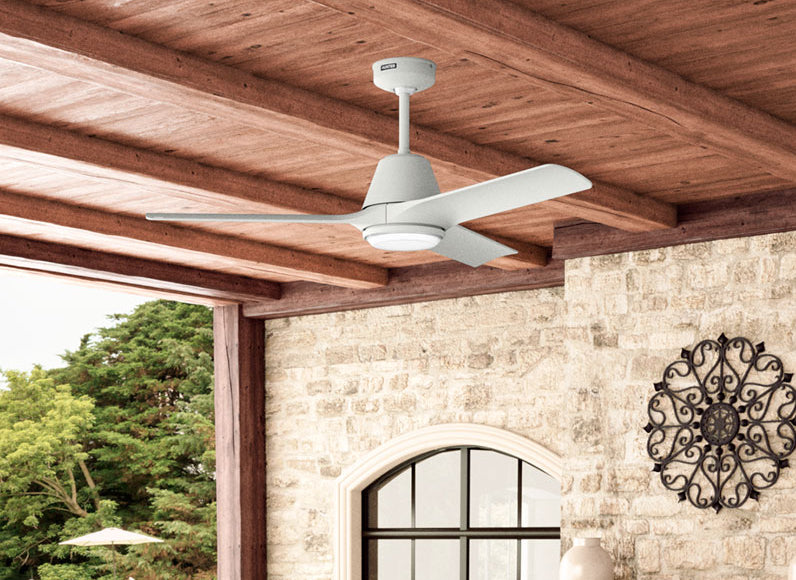
Dimmable LED Ceiling Fans: How Dimming Works and Why Some Fan Lights Flickers
LED ceiling fans have become quite popular. Combining the comfort of a ceiling fan with the convenience and efficiency of dimmable LEDs is a convenience that many homeowners are learning they love. Dimmable lights create ambiance, support task-oriented lighting, and improve energy efficiency. Learn more about how dimming works, including some troubleshooting tips and how to enable and disable light bulb dimming below.
How Does a Dimmable Ceiling Fan Work?
Ceiling fans can be fitted with traditional incandescent bulbs or LEDs. For the best dimming performance, LEDs are the preferred choice for modern ceiling fans. LEDs don’t rely on voltage to dim; they use analog dimming or Pulse Width Modulation (PWM) dimming. Analog dimming is a simple method that reduces the current that flows through the LED, which lowers the brightness.
Analog dimming can have inconsistent and poor-quality light outputs. PWM dimming is a bit more complex. This method turns the LED on and off at a high frequency, very rapidly, creating an illusion of dimming. This dimming is smoother and doesn’t affect the color or quality of the light. They do require more complex circuitry. Most modern LEDs work off of PWM dimming.
How Do You Dim the Lights on a Hunter Ceiling Fan?
Many Hunter ceiling fans come with dimmable bulbs; just be sure to use only dimming LED or CFL light bulbs in your Hunter Fan. Hunter Fans can be dimmed using the ceiling fan dimmer switch, a remote control, or the HunterSMART™ app.
Activating the dimming feature on your Hunter ceiling fan differs depending on your fan model and control. Once dimming is enabled, you can press and hold the light button on your remote or wall control to adjust the brightness. For specific instructions, see Hunter’s guide on how to toggle the dimming feature on your Hunter fan.
Can You Use a Ceiling Fan Dimmer Switch?
Hunter Fans are generally incompatible with standard dimmer switches. This can disrupt the functionality of your ceiling fan. Check your fan's specific model for more information; search your model’s manual for specific recommendations before installing a dimmer switch. Hunter offers wall controls that adjust fan speed and light brightness.
How to Fix Dimmable LED Lights Flickering?
If your Hunter Fan with dimmable LED lights flickers, the issue is usually the bulb, dimmer, or an electrical connection. Below are common troubleshooting tips, starting with the simplest to fix.
- Dimmed Too Low: Some LED bulbs flicker at low brightness settings if the power is below the minimum required to operate consistently.
- Loose or Incompatible Bulbs: Check that the LED bulb is fully seated, as this can cause intermittent flickering. Also, be sure that you are using an LED bulb compatible with dimming.
- Defective Bulb: The LED bulb might need replacing due to age or defectiveness.
- Incompatible Switch: Make sure that the dimmer switch being used is suitable for use with dimmable LEDs.
- Faulty Wiring: Improper wiring, loose electrical connections, or some combination can cause flickering when dimming. Be sure to consult qualified electrical help if you suspect electrical issues.
Consult your Hunter fan’s manual for troubleshooting information specific to your model.
Control Your Dimmable Ceiling Fan With HunterSMART
With the HunterSMART collection, you can integrate your Hunter fan with your existing smart-home system, including Amazon Alexa, Google Home, or Apple HomeKit. Pair your ceiling fan with the HunterSMART app to upgrade your home with convenient control over your fan speed, lighting, dimming, and more.
- Adjust Lights: Use the app on your smartphone to set your preferred brightness.
- Control Fan Speed: With the app installed on your smart device, you can also turn the fan on or off and adjust the speed, or even reverse the ceiling fan direction.
- Compatibility and Troubleshooting: HunterSMART is compatible with Amazon Alexa, Google Home, and Apple HomeKit. If you have issues with any functionality, explore HunterSMART setup and troubleshooting tips.
Frequently Asked Questions About Hunter Dimmable LED Ceiling Fans
1.Are all LED ceiling fan lights dimmable?
Not all LED bulbs are dimmable. Hunter recommends verifying that you are using dimmable LED or CFL bulbs for optimal dimmable functionality.
2.How do I know if my Hunter ceiling fan light is dimmable?
Always check your Hunter ceiling fan manual. Many Hunter ceiling fan models are dimmable through wall control, remote control, or the HunterSMART app.
3.Can you put dimmable LED bulbs in a ceiling fan?
Yes, LEDs have been standard for Hunter lights since around 2018. Make sure you use dimmable LED bulbs to take full advantage of your ceiling fan’s dimming capabilities. Check that the bulb is compatible with your specific fan.
4.Can I use a regular dimmer switch with a Hunter ceiling fan?
No, a standard dimmer switch will disrupt the ceiling fan functionality. Hunter has a specific ceiling fan and light dimmer that adjusts both light brightness and ceiling fan speeds.
5.Why does my Hunter ceiling fan light flicker when dimmed?
There can be various causes for flickering in dimmable LED ceiling fans. First, check all the obvious causes like a loose or malfunctioning bulb, or simply dimming too low. Then, check that you’re using a compatible dimmer switch and that the wiring is all working properly.
6. Why won't my Hunter ceiling fan light dim?
Be sure your Hunter fan is in dimming mode. You can turn on dimming mode using the wall control, remote, or the HunterSMART app. Learn more here.
7.Can I dim my Hunter ceiling fan with a remote control?
Yes, most Hunter ceiling fans support remote control. Simply enable dimming and press and hold the light button to adjust the light level.
8.Can I dim my Hunter ceiling fan lights with the HunterSMART app?
Yes, you can use the HunterSMART app to enable dimming, then use the Light slider to adjust the brightness.
9. Can I control my Hunter ceiling fan lights with Alexa, Google Home, or Apple HomeKit?
Yes, the HunterSMART collection of fans can be integrated with your smart-home system. You can enable voice control and use voice commands to dim the lights.
10.Can I use LED bulbs in an older Hunter ceiling fan?
Not all older Hunter models support LED bulbs. Check your model’s manual to see which bulbs you can use.
Why Choose Hunter Quality
At Hunter, we bring over 140 years of innovation in performance and design. We believe in extensive testing so that our fans deliver the quality and durability you expect in your home. Our engineers continue that tradition by developing technologies like SureSpeed® and HunterSMART™ for faster airflow and smart-home control, advancing the ceiling fan into the next generation. When you choose Hunter, you choose quality.